Use the same colors as matplotlib

Warning

This is an archived article. It preserves the previous documentation and may not match current environments.

New documentation

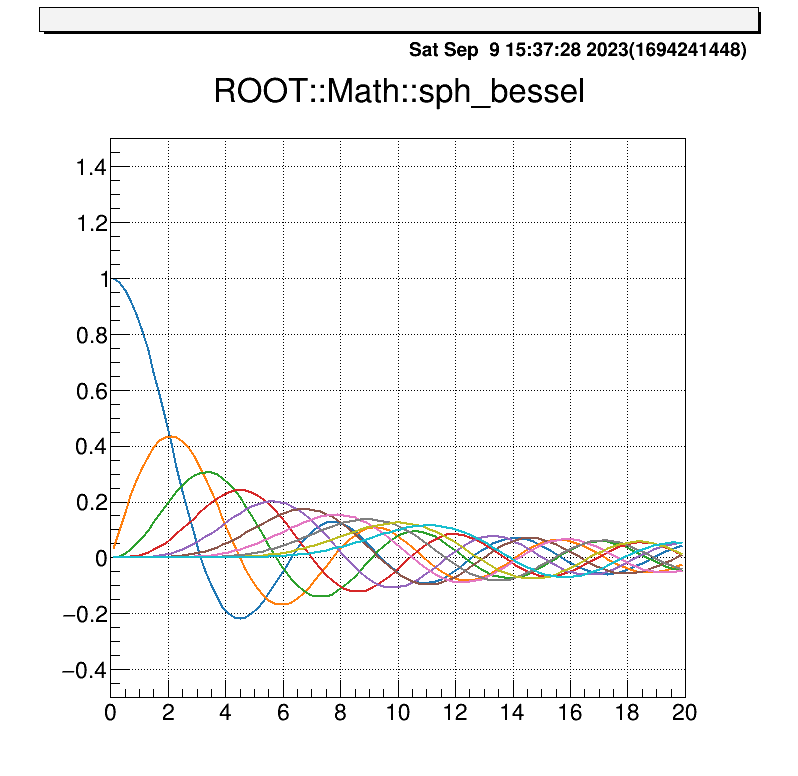
I’ll try replicating Matplotlib’s color scheme in ROOT. You can set the colors using the code below.

std::vector<Int_t> GetMatplotlibColors()
{
  
  std::vector<Int_t> colors;
  
  colors.push_back( TColor::GetColor("#1F77B4") );
  colors.push_back( TColor::GetColor("#FF7F0E") );
  colors.push_back( TColor::GetColor("#2CA02C") );
  colors.push_back( TColor::GetColor("#D62728") );
  colors.push_back( TColor::GetColor("#9467BD") );
  colors.push_back( TColor::GetColor("#8C564B") );
  colors.push_back( TColor::GetColor("#E377C2") );
  colors.push_back( TColor::GetColor("#7F7F7F") );
  colors.push_back( TColor::GetColor("#BCBD22") );
  colors.push_back( TColor::GetColor("#17BECF") );
  
  return colors;
  
} 

All that’s left to do is to read this function and pack it into vector<Int_t>. When using it, you can register it as needed with SetLineColor or SetMarkerColor.

I’ll leave a sample code below. When executed, the following figure will appear.
std::vector<Int_t> GetMatplotlibColors()
{
  
  std::vector<Int_t> colors;
  
  colors.push_back( TColor::GetColor("#1F77B4") );
  colors.push_back( TColor::GetColor("#FF7F0E") );
  colors.push_back( TColor::GetColor("#2CA02C") );
  colors.push_back( TColor::GetColor("#D62728") );
  colors.push_back( TColor::GetColor("#9467BD") );
  colors.push_back( TColor::GetColor("#8C564B") );
  colors.push_back( TColor::GetColor("#E377C2") );
  colors.push_back( TColor::GetColor("#7F7F7F") );
  colors.push_back( TColor::GetColor("#BCBD22") );
  colors.push_back( TColor::GetColor("#17BECF") );
  
  return colors;
  
}

void matplot(){

  int num = 0;
  int imax = 9;
  int xmax = 20; 

  std::vector<Int_t> colors = GetMatplotlibColors();

  TCatCmdZone::Instance()->Run(1,1,0.01,0.01);
  
  for (int i = 0; i <= imax; i++) {

    TF1* func = new TF1(Form("J_%d(x)",i), Form("ROOT::Math::sph_bessel(%d,x)",i),0,xmax);
    func->SetTitle("ROOT::Math::sph_bessel");
    func->SetLineColor(colors.at(num));
    func->GetYaxis()->SetRangeUser(-0.5,1.5);
    func->GetXaxis()->SetRangeUser(0,xmax);
    
    if(num==0){
  
      func->Draw();
    
    }else{
    
      func->Draw("same");
    
    }   
    
    num++;
  
  }

}

fig fig